
Important Updates
- Version 3.0.0 introduces a long-press menu shortcut that allows for quick addition or removal of tracks from Favorites.
- Fast-forward and rewind functionalities now operate even when the screen is off, enhancing usability while in your pocket.
- The home screen’s “Playlist” section is now renamed “Media Library,” reflecting prior adjustments.
The Snowsky Echo Mini, a compact retro music player, is set to receive a significant v3.0.0 firmware upgrade. This update aims to enhance everyday usability and reinstates a key feature from past versions.
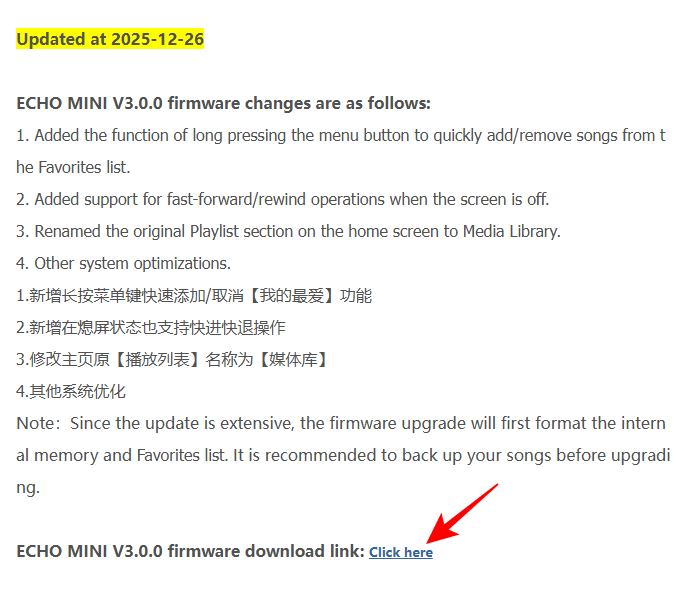
You can find the details of the Echo Mini V.3.0.0 firmware changes below:
- Long-pressing the menu button now allows quick addition/removal of songs to/from the Favorites list.
- Fast-forward and rewind functionalities are now supported when the screen is off.
- The Playlist section on the home screen has been renamed to Media Library.
To install the new V3.0.0 firmware update, follow these steps:
- Download and extract the v3.0.0 firmware package from the official Echo Mini firmware page (look for the “ECHO MINI V3.0.0 firmware download”).
- Connect the Echo Mini to your computer via USB, ensuring that the internal storage is accessible.
- Copy the extracted HIFIECxxx.img file to the root directory of the Echo Mini’s internal memory (not within a subfolder).
- Safely eject the device from your computer.
- Restart the Echo Mini; it will detect the image file and initiate the automatic upgrade process, typically completing in about a minute.
This update builds upon previous enhancements, solidifying the Echo Mini’s reputation as one of the best budget DAPs on the market. If you own one, be sure to update today!


